Free Online Background Remover , Make Transparent PNGs in Your Browser

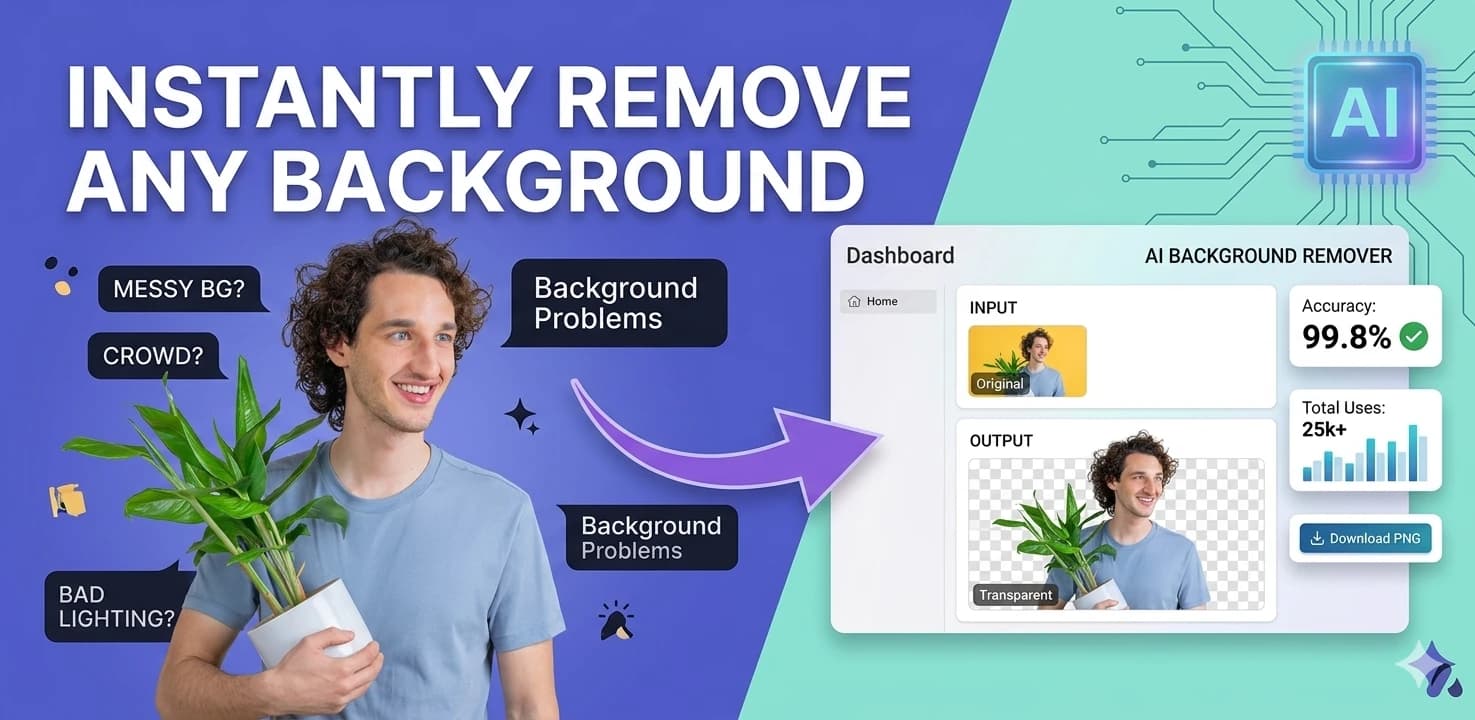
Background remover tool preview  ,  original photo on the left, transparent PNG on the right

Remove the background from any image instantly. Get a transparent PNG with a single click. Perfect for product photos, presentations, and social media graphics. All processing runs locally in your browser with 100% privacy , no signup or upload required.

Quick Answer

How do I remove the background from an image for free?

Upload your image, click the background color you want to erase, and the tool makes every matching pixel transparent. Download the result as a transparent PNG. All processing happens in your browser , no signup or upload required.

Image ToolsFree online toolNo account requiredNo server uploadUpdated April 28, 2026

Free Background Remover Online - Remove Backgrounds Without Uploads

Remove simple image backgrounds in the browser with local processing, adjustable tolerance controls, and transparent PNG export.

1. Upload Image

Click or drag image here

JPG, PNG, WebP · Max 50 MB

2. Removal Tools
Click any area on the image to erase all pixels that share a similar color globally.
30%

Higher tolerance removes more shades of the selected color.

3. Export
Workspace

Workspace empty

Upload an image on the left to start removing its background.

What is Background Remover?

Background Remover is designed for practical cleanup jobs where you need the subject isolated quickly. Instead of opening a full image editor, you can upload a local PNG, JPG, or WebP file, choose a removal mode, refine the tolerance, and export a transparent result for a product page, presentation, or social graphic.

This is especially useful for product photography, screenshots, logos, and creator assets that have a mostly plain background. If the image is not complex enough to justify a full editing session, a focused browser-based remover gives you the speed of a quick utility while still exposing controls like feathering, growth, and edge-aware cleanup.

The browser-first workflow matters here because images often contain client work, internal screenshots, or unpublished assets. Keeping the processing local is a better fit when you want to test background removal without uploading the file to a remote service first.

How to use Background Remover in 3 steps
  1. 1

    Upload the image you want to clean up

    Start with a local PNG, JPG, or WebP file and confirm the subject and background look suitable for browser-side removal.

  2. 2

    Adjust the removal mode and tolerance

    Pick the target color or fill behavior, then tune tolerance, feathering, and grow settings until the mask looks clean around the edges.

  3. 3

    Export the transparent result

    Run the removal, preview the output, and download a PNG once the background has been cleared the way you need.

Key features and benefits
  • Removes plain or predictable backgrounds without desktop software
  • Lets you refine tolerance, feathering, and edge cleanup
  • Exports a transparent PNG for web and design workflows
  • Useful for product shots, screenshots, logos, and quick mockups
  • Keeps image processing local in the browser
Common use cases

An ecommerce manager removes a plain backdrop from a product image before uploading a cleaner asset to Shopify, WooCommerce, or a marketplace listing.

A marketer cleans up a screenshot or cutout for a slide deck, ad concept, or landing page mockup without opening a full design tool.

A freelancer isolates a logo or headshot from a simple background so it can be reused in proposals, social graphics, or client documentation.

Why browser-based works better

Browser-based background removal is ideal for short production jobs because the page exposes the controls you actually need without forcing a full editing workflow around them.

It is also easier to trust for early drafts and internal assets when the file never needs to leave your device just to test whether a quick background cleanup will work.

Background Remover FAQs

Quick answers about the workflow, privacy, and where this tool fits in a broader job.

Does this work best on every kind of image?

No. It works best on images with a fairly distinct or plain background. Very complex scenes, hair detail, or low contrast edges may need more manual refinement or a heavier editor.

Will the result keep transparency?

Yes. The result is exported as a PNG so the removed background can stay transparent for reuse on web pages, mockups, and documents.

Do I need to upload my image to use it?

No. The file is opened and processed in the browser on your device, which is helpful when the image is private, unpublished, or client-sensitive.

Keep the workflow moving with nearby tools that solve the next likely step.

Reviewed by

The Free AI Tools Editorial Team

Editorial review and product QA

Last updated:

Need policy details? Visit the contact, privacy, and security pages linked in the site footer.


Background Remover at a Glance

What it is
A browser-based tool that erases the background from an image using HTML5 Canvas color keying and outputs a transparent PNG.
Who it's for
Shopify and Etsy sellers, YouTube creators, designers, and anyone who needs transparent PNGs without uploading to a third-party server.
How it differs
Color keying is fast and private but works best on solid-color backgrounds. For hair, fur, or multi-colored scenes, use the AI background remover.

What Is a Background Remover Tool?

A background remover is a tool that erases the background from a photo and outputs a transparent PNG, leaving only the main subject. This free online background remover does it in your browser using HTML5 Canvas color keying , you click the background color, and every matching pixel becomes transparent.

When you upload an image, the tool reads the pixel data into a canvas buffer. When you click a color, it walks every pixel and compares it against your target using Euclidean color distance in RGB space. Pixels within your chosen tolerance threshold get their alpha channel set to zero , they become fully transparent. The result is exported at full input resolution as a PNG, the only common web format that preserves transparency.

All processing happens entirely on your device. No image data is uploaded to a server, and no personal information is logged or stored. This makes the tool ideal for working with sensitive or proprietary images , product photos for an unannounced launch, personal portraits, or client work under NDA.

Color-Key vs AI Background Remover: Which Should You Use?

CapabilityColor-Key (this tool)AI Background Remover
Best forSolid-color backdrops, green screens, white studioComplex scenes, hair, fur, multi-colored backgrounds
Processing100% client-side , no uploadCloud-based AI segmentation
SpeedInstant (1–3 seconds for most images)5–15 seconds depending on resolution
PrivacyHighest , image never leaves deviceHigh , processed and discarded, no storage
CostFree, unlimitedFree, unlimited
OutputTransparent PNG at original resolutionTransparent PNG with anti-aliased edges

Best Practices for Removing Image Backgrounds

Color-keying gives perfect results when the inputs cooperate. Follow these best practices to get the cleanest possible transparent images:

  • Pick images with high contrast between subject and background. A solid-color backdrop or well-lit studio scene yields the most accurate color match. Backgrounds with many similar colors require multiple passes.
  • Avoid subjects with fine details like hair or fur. Wispy edges share many of the background's colors. For those photos, switch to the AI background remover.
  • Use high-resolution images for best results. More pixels means smoother edges in the transparent output. If your image is small, subject edges may appear jagged.
  • Start with low tolerance, then raise it. A tolerance of 20–30% works for most studio backdrops. Raise it for gradient skies, lower it when subject and background colors are close.
  • Combine with other tools for production output. After background removal, run the transparent PNG through the image compressor to shrink the file size before uploading to Shopify, Etsy, or your CMS.

Key Features of This Background Remover

Click-to-Erase Color Keying

Click any color in your image and the tool erases every matching pixel globally. No manual masking, no brush strokes.

Adjustable Tolerance Slider

Fine-tune how aggressively the tool matches colors. Higher tolerance catches more shades; lower tolerance protects subject pixels.

Transparent PNG at Original Resolution

Output preserves the input image's pixel dimensions , no downscaling, no quality loss.

100% Client-Side Privacy

Your image is loaded into a canvas in your browser and never sent anywhere. Zero data logging, zero storage.

Clipboard Export

Copy the transparent PNG straight to your clipboard and paste it into Figma, Canva, Photoshop, or any design tool.

No Account, No Watermark, No Limits

Process unlimited images without logging in. No watermark is applied to the output , ever.

Background Remover Use Cases by Industry

Shopify & Etsy product photos

Drop product shots on white backdrops, click the background, and get marketplace-ready transparent PNGs in seconds. No per-image API fees, no Photoshop license.

YouTube thumbnails & social graphics

Cut yourself out of a green screen or studio backdrop, then composite onto a branded background. Works with most chroma-key setups.

Real estate & interior photography

Isolate floor plans, signage, and agent headshots from cluttered surroundings for cleaner listing pages and marketing emails.

Resumes, ID photos & portraits

Replace a busy office wall behind a portrait with a neutral background , privately, without uploading the photo to a third-party service.

Graphic designers & digital artists

Pull subjects from reference photos and composite them onto custom scenes for ads, posters, and brand collateral.

Presentations & report graphics

Isolate key images from cluttered backgrounds so they sit cleanly on any slide template , Google Slides, PowerPoint, or Keynote.

Frequently Asked Questions

How do I remove a background from a photo for free without signing up?
Open the free online background remover, drag your image onto the canvas, and click the background color you want to erase. The tool produces a transparent PNG you can download instantly , no signup, no upload to any server.
Is the free background remover safe , do my images get uploaded?
All processing happens locally in your browser using HTML5 Canvas. Your images are never transmitted to a server, stored, or logged.
What is the difference between a color-key background remover and an AI background remover?
Color-key tools erase pixels that match a color you click. They are fast and private but struggle with multi-colored backgrounds. AI background removers use a segmentation model to detect the subject regardless of background color, at the cost of cloud processing. For complex scenes, use our AI background remover.
Why does part of my subject get erased along with the background?
Your subject shares colors with the background. Lower the Tolerance slider so the algorithm is stricter about which pixels it marks transparent.
Can I use this background remover for Shopify, Etsy, or Amazon product photos commercially?
Yes. The tool only manipulates pixels you already own or have rights to. The transparent PNG output is suitable for Shopify, Etsy, Amazon, and any other commercial listing platform.
Does the background remover work on hair, fur, or transparent objects?
For wispy hair, fur, or semi-transparent objects, a color-keying tool will leave artifacts. Use our AI background remover instead , it uses a segmentation model that handles soft edges.
What image formats are supported?
Upload JPG, PNG, or WebP up to 50 MB. The output is always PNG so the transparent background is preserved , JPEG does not support transparency.
Is there a usage limit or watermark on the output?
No usage limit and no watermark. Process unlimited images, free forever.

Explore more free online utilities for designers, e-commerce sellers, and content creators , all processed client-side with the same zero-upload privacy guarantee.

TheFreeAITools , Background Remover is a fully private, browser-based tool that erases image backgrounds using HTML5 Canvas color keying and outputs transparent PNG files. Supports JPG, PNG, and WebP inputs up to 50 MB, click-to-erase color selection with adjustable tolerance, and one-click download. All processing runs locally on your device , your images never leave your computer. For complex scenes with hair, fur, or multi-colored backgrounds, use the AI background remover.

Last reviewed: 2026-05-11.

☕ Support Us