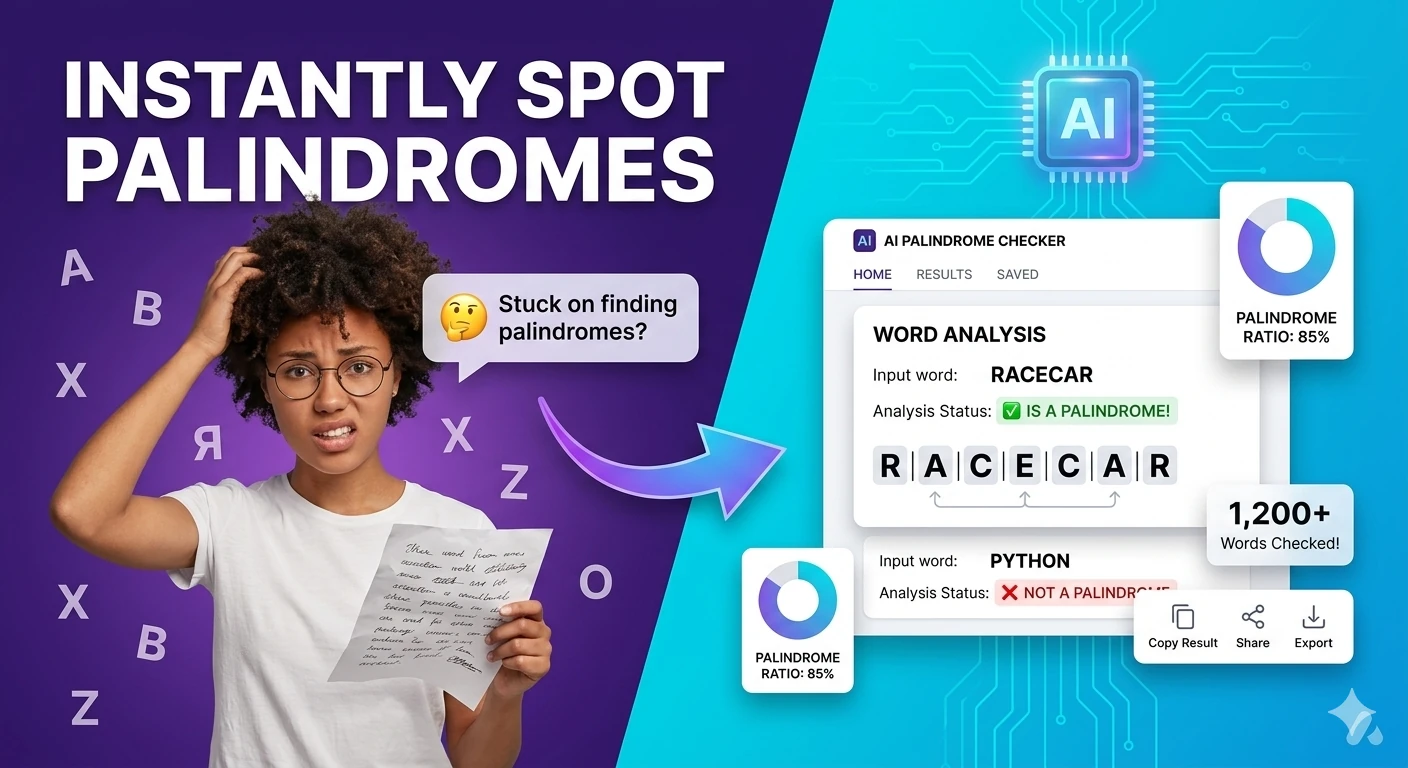
Free Palindrome Checker , Check Any Word, Phrase, or Number Online

Free Palindrome Checker  ,  test if text or numbers are palindromes online

Instantly discover if any word, phrase, or number is a palindrome. Toggle case-sensitive mode and choose to ignore spaces & punctuation for a more accurate check. All processing runs locally in your browser with 100% privacy , no signup or upload required.

Quick Answer

What is a palindrome and how do I check one for free?

A palindrome is a word, phrase, or number that reads the same forwards and backwards. Our tool lets you enter any text, apply optional filters, and see the result instantly , all in your browser.

Text & AI ContentFree online toolNo account requiredNo server uploadUpdated April 28, 2026

Free Palindrome Checker Online , No Signup Required

Palindrome Checker helps you Check whether a word or phrase reads the same backwards , supports ignore-case and ignore-space modes , free, in 2026, without leaving the browser. It is built for writers, students, support teams, and marketers, so you can clean, transform, count, compare, or export text without switching apps with a fast public URL, clear output, and a workflow that stays focused on the task instead of setup.

Text Utility

Free Online Palindrome Checker

Instantly determine if a word, phrase, or number reads the same forwards and backwards. We automatically strip out spaces, punctuation, and capital letters for accurate checking.

1. Enter Text to Check

Checking is automatic. Spaces, punctuation, and capitalization are safely ignored.

2. Evaluation Result

Waiting for Input

Enter some text on the left to see if it forms a palindrome.

What is a Palindrome Checker?

Our free online Palindrome Checker is a specialized text utility designed to evaluate whether a given sequence of characters reads exactly the same forwards and backwards. This phenomenon occurs in natural languages, mathematical sequences, and programming algorithms.

Evaluating complex phrases manually can be confusing due to spaces and punctuation. Our algorithm instantly purifies your input by stripping out all non-alphanumeric characters and converting everything to lowercase. This allows you to verify complex sentences like "A man, a plan, a canal: Panama" with 100% accuracy in real-time.

How to Check Your Text

  1. Enter your text: Type or paste any word, phrase, sentence, or numeric sequence into the input box.
  2. Automatic Processing: The tool instantly strips away spaces, periods, commas, apostrophes, and other punctuation.
  3. View the Result: The right panel will immediately update to display a green checkmark if the text is a palindrome, or a red cross if it isn't.
  4. Analyze the Breakdown: Scroll down to see the exact processed string compared side-by-side with its reversed version.

Tool Features

  • Real-Time Execution: Evaluates your string instantly on every keystroke with zero loading screens.
  • 100% Client-Side Privacy: Uses browser-based JavaScript to process text locally. Your inputs are never transmitted to our servers.
  • Smart Punctuation Handling: Safely ignores commas, question marks, brackets, and quotes to evaluate the core alphanumeric string.

Frequently Asked Questions (FAQ)

What does the word "Palindrome" mean?

The term originates from the Greek roots palin (meaning "again" or "back") and dromos (meaning "way" or "direction"). Together, it describes a sequence that runs the same way backwards as it does forwards.

What is the longest palindrome word?

According to the Guinness Book of World Records, the longest palindromic word in everyday English use is "tattarrattat", which was coined by James Joyce in Ulysses to represent the sound of a knock on the door.

Does this tool work with numbers?

Yes! Palindromic numbers (like 12321, 101, or 88) follow the same exact logic as palindromic text. Simply paste the number sequence into the tool and it will evaluate the digits correctly.

Can it handle multi-language characters?

This specific tool is optimized for standard alphanumeric characters (A-Z, 0-9). Diacritics, accents, and non-Latin scripts might be stripped out during the "clean up" phase, so it is best used for standard English text and numbers.

Related Text Utilities

What is Palindrome Checker?

Palindrome Checker is a text and content tool that helps you Check whether a word or phrase reads the same backwards , supports ignore-case and ignore-space modes. The best browser-based tools remove friction before the work starts: no account wall, no installation, no upload queue, and no confusing navigation. This page turns palindrome checker into a clean, focused workflow that is easy to revisit, share with a teammate, or use across desktop and mobile.

For most teams, a tool like this sits inside larger day-to-day work , debugging a payload, cleaning a draft, optimizing an image, reviewing metadata, or checking a calculation before a release. In those moments, speed matters, but trust matters just as much. The Free AI Tools is built around browser-based workflows so you can move faster while keeping more control over what you paste, upload, or generate. That matters especially because manual text cleanup is repetitive and can introduce copy mistakes.

Common search variations for this kind of tool include: palindrome checker, palindrome tester, is it a palindrome, check palindrome online, palindrome words. The real need is simple , a reliable result, a readable interface, and clear guidance on the next step. Whether you are searching for a free palindrome checker, a palindrome checker online, or just the fastest way to get the task done, this page is built to answer that directly. Use the interactive workspace above, follow the steps below, and explore related tools in the same category when your workflow grows.

Compared with paid alternatives, a browser-based palindrome checker removes the two most common barriers: account walls and subscription fees. Many commercial tools require a credit card for a free trial, impose session limits, or upload your data to a remote server for processing. The Free AI Tools keeps everything client-side wherever possible, so there is no plan to upgrade, no rate limit to hit mid-task, and no privacy risk from a third-party server seeing your inputs. That makes it a reliable first choice in 2026 for individuals, teams, and developers who need a dependable tool without the overhead.

How to use Palindrome Checker
  1. 1

    Open the Palindrome Checker workspace

    Load the page, confirm you are on the Palindrome Checker route, and review the interface before pasting input or choosing options.

  2. 2

    Add your input or configure the controls

    Paste text, upload a file, or adjust the available settings depending on the workflow. The tool is designed to keep the setup lightweight and predictable.

  3. 3

    Review the generated result carefully

    Check the formatted output, preview, calculation, or transformed data so you can confirm it matches the format or behavior you need.

  4. 4

    Copy, download, or continue to a related tool

    Take the result into your next step, then use the related links lower on the page if your workflow also needs validation, conversion, comparison, or another supporting task.

Key features and benefits
  • Fast, browser-based palindrome checker with no install required
  • Free to use , no account, no signup, no paywall
  • Clear public URL that is easy to share or bookmark
  • Built for writers, students, support teams, and marketers who need focused results instead of bloated apps
  • Pairs well with related Text tools in the same category
  • Privacy-aware: keeps your workflow in the browser rather than uploading to a remote server
Common use cases

Use Palindrome Checker when you need to Check whether a word or phrase reads the same backwards , supports ignore-case and ignore-space modes during a real workflow instead of as a one-off demo. Common scenarios include reviewing live project data, cleaning up outputs before sharing, checking values during QA, preparing assets for publishing, or reducing repetitive manual work that would otherwise happen in a text editor or spreadsheet.

Text & AI Content workflows often chain together, which is why this page also surfaces related tools. A visitor might start with palindrome checker, then continue into adjacent tasks like validation, conversion, export, optimization, or comparison. That makes the route useful both as a single tool page and as an entry point into a broader category journey.

Why browser-based works better

The Free AI Tools focuses on focused, crawlable, reusable tool pages rather than anonymous utility fragments. The result is a page that explains what the tool does, how to use it, when to trust it, and what to do next when your workflow grows.

That makes this text and content tool different from thin utility pages that offer a textarea and nothing else. Here, the page combines an interactive workspace, an explanation layer, internal links, structured data, and clear trust signals , so the experience works for first-time visitors, repeat users, and search crawlers alike.

Palindrome Checker FAQs

Quick answers about the workflow, privacy, and where this tool fits in a broader job.

What does Palindrome Checker do?

Palindrome Checker helps you Check whether a word or phrase reads the same backwards , supports ignore-case and ignore-space modes. It is designed as a browser-based workflow so you can complete the task quickly without creating an account or installing extra software.

Is this palindrome checker tool free to use?

Yes. The Free AI Tools publishes this Palindrome Checker page as a free public tool with no signup requirement. Open the page, use the workspace, and share the URL directly.

Is there a free palindrome checker online in 2026?

Yes. This page is a free palindrome checker that runs entirely in your browser in 2026. There is no account, no trial limit, and no install step , just open the URL and start working. It is updated regularly to keep pace with current browser capabilities and best practices.

Is my data uploaded when I use Palindrome Checker?

Most workflows on The Free AI Tools are designed to run primarily in the browser, keeping the experience fast and privacy-aware. If a specific tool needs a live request to fetch public data, the page copy explains that behavior clearly.

Who is Palindrome Checker useful for?

Palindrome Checker is especially useful for writers, students, support teams, and marketers. It works well when you need a focused page for one task and do not want to switch between multiple apps or browser tabs.

What is the best free palindrome checker in 2026?

The best free palindrome checker in 2026 is one that runs in the browser without requiring a login, handles your data privately, and gives accurate results instantly. Palindrome Checker on The Free AI Tools meets all three criteria , no account, no server upload, and results delivered in seconds directly in the page.

Can I use Palindrome Checker on mobile?

Yes. The page is responsive and designed to work across current versions of Chrome, Firefox, Safari, Edge, Brave. The best experience is usually on desktop for large inputs, but the route remains usable on phones and tablets.

What should I use after Palindrome Checker?

That depends on the workflow. Many users move into a related validation, conversion, optimization, or export tool after finishing the first step. Use the related tools section on this page to continue without losing context.

Keep the workflow moving with nearby tools that solve the next likely step.

Reviewed by

The Free AI Tools Editorial Team

Editorial review and product QA

Last updated:

Need policy details? Visit the contact, privacy, and security pages linked in the site footer.


What Is a Palindrome Checker?

A palindrome checker is a tool that verifies whether a given word, phrase, number, or other sequence of characters reads the same forward and backward. The term comes from Greek roots: palindromos meaning "running back again". Palindromes have fascinated people for centuries and appear in poetry, puzzles, and even in the construction of DNA sequences. A classic example is the word "radar" , it spells the same regardless of which direction you read it.

Our tool performs this check in real time as you type. You can enablecase-sensitive mode to treat 'A' and 'a' as different, or use case-insensitive mode for a more lenient check. You can also choose to ignore spaces and punctuation, which is essential for checking phrases like "A man, a plan, a canal, panama!" , a famous palindrome that only works when you ignore non‑letter characters.

All processing is done entirely in your browser. Your input text is never sent to our servers, and no data is logged or stored. This makes the tool ideal for checking sensitive strings, such as passwords or proprietary phrases, without any privacy concerns. Whether you are a programmer writing a palindrome detection algorithm, a teacher creating a classroom puzzle, or a language enthusiast exploring wordplay, this tool provides a fast, private, and reliable way to identify palindromes.

Best Practices for Using a Palindrome Checker

While checking for palindromes may seem straightforward, getting the most out of the tool requires understanding a few nuances. Follow these best practices to ensure accurate and meaningful results:

  • Understand the difference between character‑level and word‑level palindromes:A character‑level palindrome treats each letter, digit, and punctuation mark individually. A word‑level palindrome ignores spaces and punctuation and only compares alphanumeric characters. Our tool supports both modes, so choose the one that fits your goal.
  • Use the ignore spaces & punctuation option for phrases:A phrase like "never odd or even" contains spaces and a word boundary that would break a strict character‑by‑character check. Enabling the ignoring of spaces and punctuation makes it possible to verify such phrases as true palindromes.
  • Be careful with case sensitivity for proper nouns:If you are checking a name or a title where capitalization matters, use case‑sensitive mode. For general wordplay, case‑insensitive mode is usually more flexible and yields more satisfying results.
  • Remember that numbers can be palindromes too:The tool handles numeric strings perfectly. Enter "12321" and you will see that it is a palindrome, whereas "12345" is not. This is useful for recognizing symmetric numbers in data analysis or puzzle contexts.
  • Combine the palindrome checker with other text tools for writing:When crafting palindromic sentences or poems, use the tool in real time to test each iteration. This iterative feedback helps you refine your writing without having to manually reverse the string each time.

Key Features of This Palindrome Checker

Built for programmers, puzzlers, and language lovers, this tool provides a complete palindrome detection suite entirely within your browser.

Instant Palindrome Detection

Enter any text and click 'Check' , the tool instantly compares the input to its reverse and displays the result. Feedback is given with color‑coded indicators.

Case Sensitivity Toggle

Switch between case‑sensitive and case‑insensitive checking. This is particularly useful for names, acronyms, or any text where letter case matters.

Ignore Spaces & Punctuation

Enable this option to strip spaces, commas, periods, and other punctuation before checking. It is essential for phrase‑level palindromes like "A man, a plan, a canal, panama!".

Detailed Output with Reversed String

For non‑palindromes, the tool shows the reversed string and highlights the first mismatch, making it easy to see exactly why the input fails the palindrome test.

100% Client‑Side Privacy

Your input text is never sent to our servers. All processing happens locally in your browser , zero data logging, zero storage, zero privacy concerns.

No Account, No Signup, No Limits

Use the tool immediately without logging in or providing any personal information. Check unlimited palindromes with no restrictions , completely free, forever.

Common Use Cases: Who Uses a Palindrome Checker?

The ability to detect palindromes quickly is a fun and practical skill across many fields. Here are the most common scenarios in 2026:

Programmers & Software Engineers

Use the palindrome checker to test algorithmic solutions during coding challenges or interviews. It's an excellent way to validate string reversal logic and edge cases.

Language Enthusiasts & Word Game Players

Explore the world of palindromes for fun, create palindromic poetry, or challenge friends to find the longest palindrome in a given set of words.

Teachers & Students

Use the tool in classrooms to demonstrate string manipulation, introduce recursion, or create engaging palindrome puzzles for language arts lessons.

Puzzle Enthusiasts & Crossword Solvers

Quickly test candidate words or phrases for palindrome properties while solving crossword puzzles or participating in word‑game tournaments.

Writers & Poets

Experiment with palindromic poetry or prose. The tool helps you refine your lines so that they read the same backwards and forwards, creating a unique literary effect.

Security Analysts & Cryptography Researchers

Check for palindromic patterns in strings or keys, which can sometimes indicate algorithmic weaknesses or reveal hidden symmetries in sampled data.

Frequently Asked Questions

What is a palindrome?
A palindrome is a word, phrase, number, or other sequence of characters that reads the same forwards and backwards. For example, 'radar', 'level', and '12321' are palindromes, while 'hello' is not.
How does the palindrome checker work?
The tool takes your input, optionally cleans it (removing spaces, punctuation, or case differences), then compares it to its reverse. If they match exactly, the input is a palindrome; otherwise, it is not.
Can I check a number to see if it's a palindrome?
Yes. Enter a number like '12321' and the tool will treat it as a string. It will correctly identify that '12321' is a palindrome because it reads the same forwards and backwards.
Is my input data secure when using this tool?
Yes, 100% secure. All processing occurs entirely in your browser using JavaScript. Your input text is never sent to our servers, stored, or logged. The tool is completely private.
What is the difference between a palindrome and an anagram?
A palindrome reads the same forwards and backwards (e.g., 'racecar'). An anagram is a word or phrase formed by rearranging the letters of another (e.g., 'listen' and 'silent'). The two concepts are unrelated. Our tool checks only for palindromes.
Are there any limitations to this free palindrome checker?
The tool is completely free with no usage limits. It works with any text input, including spaces, punctuation, and numbers. For extremely long inputs (over 10,000 characters), browser performance may vary based on your device's memory. All processing is client-side and private.

Explore more free online utilities for text analysis, string manipulation, and word games , all processed client-side with the same zero-upload privacy guarantee.

TheFreeAITools , Palindrome Checker is a fully private, browser-based tool that checks if any word, phrase, or numberis a palindrome instantly. Supports case-sensitive and case-insensitive modes, ignores spaces and punctuation, and provides detailed output with the reversed string. All processing runs locally on your device , your text never leaves your computer. The fastest free way to check for palindromes in 2026, with no installs, no accounts, and no hidden limits.

☕ Support Us