Developer ToolsFree online toolNo account requiredNo server uploadUpdated April 28, 2026

Free HTML/XML Escape Online , No Signup Required

HTML/XML Escape helps you Convert special characters to and from HTML entities , prevent XSS and fix broken markup instantly , free, in 2026, without leaving the browser. It is built for developers, QA engineers, and technical writers, so you can format, validate, transform, or inspect structured technical data with a fast public URL, clear output, and a workflow that stays focused on the task instead of setup.

HTML/XML Escape screenshot 1

Free HTML Escape & Unescape Tool , Encode Entities Online

Free HTML Escape Tool  ,  escape and unescape HTML entities in your browser

Instantly convert special characters into HTML-safe entities (escape) or decode HTML entities back into plain text (unescape). Supports all five core HTML characters , ampersand, angle brackets, and quotes , processed entirely in your browser with no server uploads, no account, and no character limits.

Quick Answer

How do I escape or unescape HTML entities online for free?

Select Escape or Unescape mode, paste your text into the input area, click the action button, and copy the output , all processed locally in your browser with no server uploads and no account required.

Input Text (Raw HTML)
Escaped Output

What Is an HTML Escape & Unescape Tool?

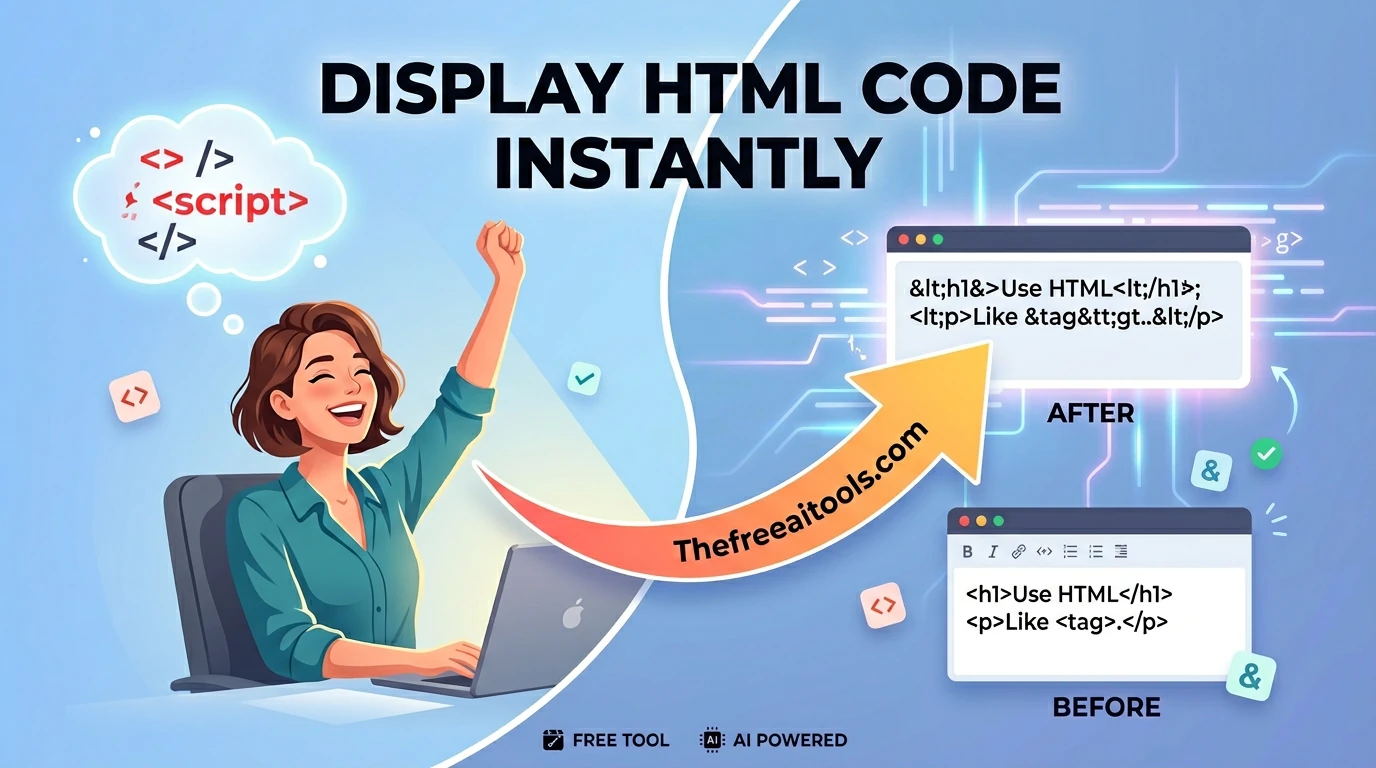
An HTML escape tool is a developer utility that converts characters with special meaning in HTML , such as the less-than sign, the greater-than sign, the ampersand, and quotation marks , into their safe, text-only equivalents called HTML entities. An HTML entity is a short code string beginning with an ampersand and ending with a semicolon that instructs the browser to render a specific character without interpreting it as HTML markup. For example, the less-than sign < is rendered by writing the entity &lt; in the HTML source. Without this substitution, a browser encountering a raw < character would attempt to parse everything that follows as an HTML tag, breaking page structure and potentially creating security vulnerabilities.

The inverse operation , HTML unescaping , takes a string of HTML entity codes and converts them back into their original human-readable characters. This is equally important in web development. When reading data stored in a database that was escaped before insertion, when parsing API responses that contain HTML-encoded content, or when inspecting the actual payload of an obfuscated Cross-Site Scripting (XSS) attack string, developers need to quickly decode entity-encoded text back to its raw form to understand what it actually contains. Our tool handles both directions , escaping and unescaping , with a single interface, switching modes with one click.

Historically, HTML escaping was performed by backend languages , PHP's htmlspecialchars(), Python's html.escape(), or Java's StringEscapeUtils , and was rarely exposed as a standalone utility. For frontend developers, content writers, and security researchers who need to escape or unescape text snippets on demand without writing code, dedicated browser-based tools fill a critical gap. Because our tool executes entirely within your browser using native JavaScript string replacement, there are no server round-trips, no network latency, and no risk that sensitive code snippets, credentials, or proprietary content are transmitted to a third-party server. The operation completes in milliseconds regardless of the size of your input.

Best Practices for HTML Escaping in Web Development

HTML escaping is not merely a formatting convenience , in many contexts it is a critical security control. Misapplying or skipping entity encoding is one of the most common root causes of Cross-Site Scripting vulnerabilities, which remain in the OWASP Top 10 list of web application security risks. Here are the professional guidelines every developer should follow:

  • Always escape user-controlled input before rendering it in HTML: Any value that originates from a user , form fields, URL query parameters, HTTP headers, cookie values, or uploaded file names , must be treated as untrusted data. Before inserting such a value into an HTML document, escape it using a context-appropriate function. Skipping this step on even one input field is sufficient for a stored or reflected XSS attack to succeed.
  • Understand context , HTML escaping is not universal: HTML entity encoding is specifically appropriate for content inserted into HTML element contexts (between opening and closing tags) and HTML attribute contexts (inside attribute value strings). It is not sufficient for JavaScript contexts (inline scripts), CSS contexts (style attributes), or URL contexts (href, src attributes). Each context requires its own escaping strategy: JavaScript string escaping for inline scripts, CSS escaping for style attributes, and URL percent-encoding for URL values. Using HTML entity encoding in the wrong context provides a false sense of security.
  • Use your framework's built-in auto-escaping , do not build your own: Modern templating engines and UI frameworks , React, Vue, Angular, Jinja2, Twig, Blade , perform HTML escaping automatically when you use standard template interpolation syntax. React's JSX, for example, escapes all values embedded in JSX expressions by default. The security risk arises when developers bypass auto-escaping intentionally , using dangerouslySetInnerHTML in React, v-html in Vue, or | safe in Jinja2 , without ensuring the content has been properly sanitised from a trusted source.
  • Escape before storing in the database, not only before rendering: A robust defence-in-depth approach escapes HTML entities at the point of persistence as well as at the point of rendering. This prevents stored XSS attacks where malicious scripts are inserted into the database through one application interface and executed when that data is read and rendered by a different interface with less rigorous output encoding.
  • Verify escaping coverage with a dedicated security scanner: Manual code review is insufficient for guaranteeing complete HTML escaping coverage across a large codebase. Integrate a static analysis security tool (SAST) such as Semgrep or Bandit into your CI/CD pipeline to automatically flag unescaped interpolations. Additionally, run dynamic application security testing (DAST) using tools like OWASP ZAP or Burp Suite to identify XSS vulnerabilities that reach the browser even after code review.
  • Do not double-escape content that is already escaped: If your data pipeline escapes HTML at the point of storage and again at the point of rendering, the output will contain literal entity strings like &amp;lt; displayed as visible text rather than the intended character. Audit your data flow carefully to identify where escaping occurs and ensure it happens exactly once, at the final rendering step, unless you have a specific documented reason for double-escaping.

Key Features of This Free HTML Escape Tool

Built to serve developers, security researchers, content writers, and QA engineers who need reliable, instant HTML entity encoding without leaving the browser.

100% Client-Side Processing , Zero Network Exposure

Every character substitution runs on your own hardware using native JavaScript. No text is ever transmitted to any server, logged, or stored , making this tool safe for escaping sensitive code snippets, API keys embedded in payloads, or proprietary application logic.

Strict Five-Character Entity Mapping

The tool encodes the five characters mandated by the HTML5 specification for safe content insertion: &&amp;, <&lt;, > &gt;, "&quot;, and '&#39;. This covers all characters required to prevent HTML injection and XSS in both element and attribute contexts.

Bidirectional Escape and Unescape in One Interface

Switch between encoding and decoding with a single mode toggle. Escape raw text for safe HTML insertion, or unescape entity-encoded strings to read their original content , without switching tools, opening a second tab, or writing temporary code.

Instant One-Click Clipboard Copy

Click the copy button to save the full output to your clipboard in a single action. Paste the escaped or unescaped result directly into your code editor, HTML template, CMS rich-text field, API testing tool, or terminal , no manual selection required.

No Character Limits , Process Entire HTML Documents

Because all processing occurs in your browser and no text is hosted on our servers, there are no character caps, no payload size limits, and no daily usage quotas. Escape entire HTML files, large JSON payloads, or multi-kilobyte code blocks in a single operation.

XSS Payload Analysis & Security Research Support

Security researchers and penetration testers use the unescape mode to decode obfuscated XSS payloads that have been entity-encoded to bypass Web Application Firewalls (WAFs). The tool reveals the true underlying payload structure without executing any of the decoded content in the browser.

Common Use Cases: Who Uses an HTML Escape Tool?

HTML escaping is a near-universal need across the full spectrum of web development and security disciplines. Here are the most common real-world workflows that bring professionals to an HTML escape tool in 2026:

Frontend Developers Displaying Code Snippets

Developers building documentation sites, developer blogs, or tutorial platforms need to display HTML, JSX, and XML code examples on the page as visible text rather than parsed markup. Escaping the code block's angle brackets and ampersands before inserting them into a <pre> or <code> element ensures the browser renders them as text characters, not as HTML tags.

Backend Engineers Debugging Escaped API Responses

REST and GraphQL APIs that return HTML content , such as CMS preview endpoints, email template renderers, or legacy SOAP services , often return body text with HTML entities already applied. Backend engineers use the unescape mode to quickly decode the raw response payload and visually inspect the actual content without writing a throwaway script in their terminal.

Security Researchers Analysing XSS Payloads

Penetration testers and bug bounty hunters frequently encounter XSS payloads that have been encoded with HTML entities to bypass WAF signature matching , for example, &lt;script&gt; instead of <script>. Unescaping such strings in a safe, sandboxed tool reveals the true payload structure, helping researchers understand the attack vector and write accurate vulnerability reports.

Content Writers & CMS Editors

Technical content writers publishing articles in CMS platforms like WordPress, Drupal, or HubSpot occasionally need to include code examples containing angle brackets or ampersands. Escaping the characters before pasting them into a custom HTML block prevents the CMS from stripping or misinterpreting the content as broken markup, preserving the intended display.

QA Engineers & Manual Testers

Quality assurance engineers testing input validation and output encoding coverage use escaped payloads as boundary test cases. By submitting &lt;script&gt; instead of <script> through form fields, testers verify whether the application correctly decodes and then re-escapes the value before rendering, or inadvertently double-encodes it , both of which indicate encoding logic defects.

Email Template Developers

HTML email templates are often composed in plain-text editors or template DSLs that require entity-encoded characters for special symbols , copyright notices, em dashes, non-breaking spaces, and currency symbols. Email developers use the escape tool to generate the correct numeric or named entity for any special character before inserting it into an email template, ensuring consistent rendering across Outlook, Gmail, and Apple Mail.

Frequently Asked Questions

How do I escape or unescape HTML entities online for free?
Select your mode (Escape or Unescape), paste your text into the input area, click the action button, and copy the output , all processed locally in your browser with no server uploads, no account required, and completely free.
Which characters does the HTML escape tool encode?
The tool encodes the five characters that have special meaning in HTML: the ampersand (&) becomes &amp;, the less-than sign (<) becomes &lt;, the greater-than sign (>) becomes &gt;, the double quote (") becomes &quot;, and the single quote (') becomes &#39;. These five cover the full set required for safe HTML rendering and XSS prevention.
What output formats does the tool produce?
The tool produces standard HTML named entities (&amp;, &lt;, &gt;, &quot;) and numeric entities (&#39;) for characters without a widely supported named form. The output is ready to paste directly into HTML documents, blog post editors, CMS content fields, or code display blocks.
Is my text uploaded to a server when I use this tool?
No. All escaping and unescaping operations are performed entirely within your browser using native JavaScript. Your text never leaves your device , no data is transmitted to or stored on any server, ensuring complete privacy for sensitive code, credentials, or proprietary content.
What is the difference between HTML escaping and URL encoding?
HTML escaping converts special characters into HTML named or numeric entities (e.g., < becomes &lt;) so they display correctly inside an HTML document without being parsed as markup. URL encoding replaces unsafe characters with a percent sign followed by two hexadecimal digits (e.g., a space becomes %20) so they can be safely transmitted in a URL. They serve different contexts and are not interchangeable.
Are there any limits on how much text I can escape or unescape?
No. Because all processing runs entirely in your browser and no text is uploaded to our servers, we impose no character limits or usage quotas. The only practical ceiling is your browser's available memory, which can comfortably handle multi-megabyte text payloads in modern browsers.

Looking for more free browser-based developer utilities? Explore the tools below , all processed client-side with the same zero-upload privacy guarantee.

TheFreeAITools , Free HTML Escape & Unescape Tool is a fully private, browser-based utility that encodes special characters into HTML entities and decodes them back to plain text using native JavaScript , meaning your text never leaves your device. Supports all five core HTML escape characters: &, <, >, ", and ' , making it the fastest free way to safely encode and decode HTML content for web development, security research, and content publishing workflows in 2026, with no installs, no accounts, no server uploads, and no hidden limits.

What is HTML/XML Escape?

HTML/XML Escape is a developer productivity tool that helps you Convert special characters to and from HTML entities , prevent XSS and fix broken markup instantly. The best browser-based tools remove friction before the work starts: no account wall, no installation, no upload queue, and no confusing navigation. This page turns html escape into a clean, focused workflow that is easy to revisit, share with a teammate, or use across desktop and mobile.

For most teams, a tool like this sits inside larger day-to-day work , debugging a payload, cleaning a draft, optimizing an image, reviewing metadata, or checking a calculation before a release. In those moments, speed matters, but trust matters just as much. The Free AI Tools is built around browser-based workflows so you can move faster while keeping more control over what you paste, upload, or generate. That matters especially because copying malformed payloads or configs between tools can introduce avoidable defects.

Common search variations for this kind of tool include: html escape, html entity encoder, xml escape, html unescape, escape html online. The real need is simple , a reliable result, a readable interface, and clear guidance on the next step. Whether you are searching for a free html xml escape, a html xml escape online, or just the fastest way to get the task done, this page is built to answer that directly. Use the interactive workspace above, follow the steps below, and explore related tools in the same category when your workflow grows.

Compared with paid alternatives, a browser-based html xml escape removes the two most common barriers: account walls and subscription fees. Many commercial tools require a credit card for a free trial, impose session limits, or upload your data to a remote server for processing. The Free AI Tools keeps everything client-side wherever possible, so there is no plan to upgrade, no rate limit to hit mid-task, and no privacy risk from a third-party server seeing your inputs. That makes it a reliable first choice in 2026 for individuals, teams, and developers who need a dependable tool without the overhead.

How to use HTML/XML Escape
  1. 1

    Open the HTML/XML Escape workspace

    Load the page, confirm you are on the HTML/XML Escape route, and review the interface before pasting input or choosing options.

  2. 2

    Add your input or configure the controls

    Paste text, upload a file, or adjust the available settings depending on the workflow. The tool is designed to keep the setup lightweight and predictable.

  3. 3

    Review the generated result carefully

    Check the formatted output, preview, calculation, or transformed data so you can confirm it matches the format or behavior you need.

  4. 4

    Copy, download, or continue to a related tool

    Take the result into your next step, then use the related links lower on the page if your workflow also needs validation, conversion, comparison, or another supporting task.

Key features and benefits
  • Fast, browser-based html escape with no install required
  • Free to use , no account, no signup, no paywall
  • Clear public URL that is easy to share or bookmark
  • Built for developers, QA engineers, and technical writers who need focused results instead of bloated apps
  • Pairs well with related Developer tools in the same category
  • Privacy-aware: keeps your workflow in the browser rather than uploading to a remote server
Common use cases

Use HTML/XML Escape when you need to Convert special characters to and from HTML entities , prevent XSS and fix broken markup instantly during a real workflow instead of as a one-off demo. Common scenarios include reviewing live project data, cleaning up outputs before sharing, checking values during QA, preparing assets for publishing, or reducing repetitive manual work that would otherwise happen in a text editor or spreadsheet.

Developer Tools workflows often chain together, which is why this page also surfaces related tools. A visitor might start with html xml escape, then continue into adjacent tasks like validation, conversion, export, optimization, or comparison. That makes the route useful both as a single tool page and as an entry point into a broader category journey.

Why browser-based works better

The Free AI Tools focuses on focused, crawlable, reusable tool pages rather than anonymous utility fragments. The result is a page that explains what the tool does, how to use it, when to trust it, and what to do next when your workflow grows.

That makes this developer productivity tool different from thin utility pages that offer a textarea and nothing else. Here, the page combines an interactive workspace, an explanation layer, internal links, structured data, and clear trust signals , so the experience works for first-time visitors, repeat users, and search crawlers alike.

References and standards

HTML/XML Escape FAQs

Quick answers about the workflow, privacy, and where this tool fits in a broader job.

What does HTML/XML Escape do?

HTML/XML Escape helps you Convert special characters to and from HTML entities , prevent XSS and fix broken markup instantly. It is designed as a browser-based workflow so you can complete the task quickly without creating an account or installing extra software.

Is this html escape tool free to use?

Yes. The Free AI Tools publishes this HTML/XML Escape page as a free public tool with no signup requirement. Open the page, use the workspace, and share the URL directly.

Is there a free html xml escape online in 2026?

Yes. This page is a free html xml escape that runs entirely in your browser in 2026. There is no account, no trial limit, and no install step , just open the URL and start working. It is updated regularly to keep pace with current browser capabilities and best practices.

Is my data uploaded when I use HTML/XML Escape?

Most workflows on The Free AI Tools are designed to run primarily in the browser, keeping the experience fast and privacy-aware. If a specific tool needs a live request to fetch public data, the page copy explains that behavior clearly.

Who is HTML/XML Escape useful for?

HTML/XML Escape is especially useful for developers, QA engineers, and technical writers. It works well when you need a focused page for one task and do not want to switch between multiple apps or browser tabs.

What is the best free html xml escape in 2026?

The best free html xml escape in 2026 is one that runs in the browser without requiring a login, handles your data privately, and gives accurate results instantly. HTML/XML Escape on The Free AI Tools meets all three criteria , no account, no server upload, and results delivered in seconds directly in the page.

Can I use HTML/XML Escape on mobile?

Yes. The page is responsive and designed to work across current versions of Chrome, Firefox, Safari, Edge, Brave. The best experience is usually on desktop for large inputs, but the route remains usable on phones and tablets.

What should I use after HTML/XML Escape?

That depends on the workflow. Many users move into a related validation, conversion, optimization, or export tool after finishing the first step. Use the related tools section on this page to continue without losing context.

Keep the workflow moving with nearby tools that solve the next likely step.

Reviewed by

The Free AI Tools Editorial Team

Editorial review and product QA

Last updated:

Need policy details? Visit the contact, privacy, and security pages linked in the site footer.

☕ Support Us