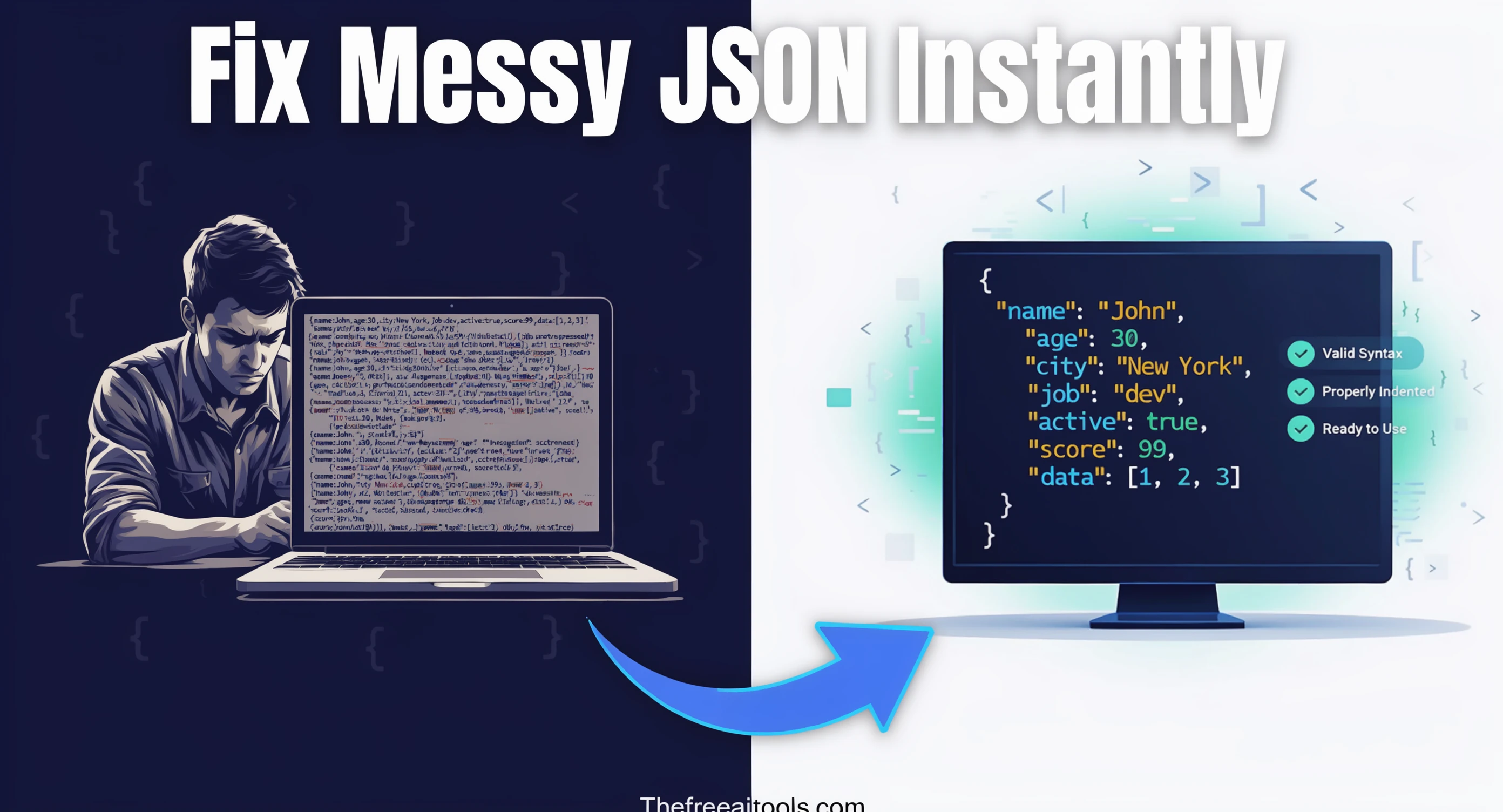
Free JSON Formatter , Format & Validate JSON Online Instantly

Free JSON Formatter  ,  format, validate, and beautify JSON online instantly

Format, validate, and beautify JSON data instantly. Use thetree view to navigate nested structures, convert to CSV or XML, and copy or download your clean JSON. All processing runs locally in your browser with 100% privacy , no signup or upload required.

Quick Answer

What is JSON formatting and why is it useful?

JSON formatting (pretty‑printing) arranges raw JSON data with proper indentation, line breaks, and spacing to make it human‑readable. It is useful for debugging, code reviews, and understanding complex API responses.

Developer ToolsFree online toolNo account requiredNo server uploadUpdated April 28, 2026

JSON Formatter & Validator , Free, Browser-Based, No Account Required

Paste JSON, get readable output, find errors fast. Everything runs locally in your browser , your payloads never leave your device.

Developer Utility

Free JSON Formatter & Validator

Instantly format, beautify, parse, and validate your JSON data. Process everything securely within your browser with no server uploads.

1. Input Raw JSON
2. Formatted Output

Waiting for input...

About Our JSON Formatter & Validator

Working with APIs and data payloads often means dealing with unformatted, hard-to-read, or heavily minified JSON strings. Our free Online JSON Formatter is designed to make your life as a developer easier by instantly parsing your raw data and transforming it into an easily readable, color-coded structure.

Not only does this tool beautify your code with standard 2-space or 4-space indentation, but it also acts as a strict JSON Validator. If your payload contains syntax errors , such as missing quotation marks, trailing commas, or unbalanced brackets , the tool will catch it and display a clear error message to help you debug quickly.

How to Use the Tool

  1. Paste your payload: Insert your raw JSON string into the left input panel.
  2. Check for errors: If the JSON is invalid, a red alert will immediately detail the syntax error.
  3. Choose format style: Click Format (2) for standard 2-space indentation, or Format (4) for wider spacing.
  4. Need it smaller? Click Minify to strip all whitespace for production use.
  5. Copy and deploy: Hit the Copy button on the right panel to grab your formatted code.

Key Features

  • 100% Client-Side Privacy: Your JSON objects are parsed directly in your browser. No data is ever logged or sent to external servers.
  • Custom Indentation: Choose between standard 2-space or classic 4-space indentation to match your team's code style guidelines.
  • Instant Validation: Built-in linting immediately catches errors, preventing broken API requests.

Frequently Asked Questions (FAQ)

What is JSON?

JSON (JavaScript Object Notation) is a lightweight data-interchange format that is easy for humans to read and write, and easy for machines to parse and generate. It is widely used in RESTful APIs and web configurations.

Why am I getting an "Invalid JSON" error?

Standard JSON is very strict. Common errors include using single quotes (') instead of double quotes (") for keys and string values, leaving trailing commas after the last item in an object or array, or missing closing brackets.

Is my data uploaded to the internet?

No. We value your privacy and security. The parsing, formatting, and minification processes happen entirely inside your local device's memory using JavaScript. We cannot see your data.

When should I minify my JSON?

You should minify JSON when you are preparing data for production environments, such as sending a payload in an API request or storing configuration in a database. Removing whitespace reduces the file size, saving bandwidth.

Related Developer Tools

What is JSON Formatter & Validator?

A JSON formatter converts compact, machine-friendly JSON into a readable, indented form a human can actually scan. JSON (JavaScript Object Notation) is the dominant data interchange format on the modern web , it powers REST APIs, GraphQL responses, webhook payloads, configuration files, infrastructure-as-code outputs, NoSQL document records, browser localStorage values, and the package manifests of practically every JavaScript project. When that data arrives minified or stripped of whitespace to save bytes, debugging it becomes a chore. This tool reformats the structure with consistent indentation, lines up nested objects and arrays, and validates syntax against the JSON specification (RFC 8259) so you can identify problems before they leak further into your stack.

Validation matters as much as formatting. A single misplaced comma, an unescaped quote, a smart quote pasted from a chat client, or a trailing comma copied from a JavaScript object literal will silently break a parser. In production, this often surfaces as a 500 error, a failed deploy, or a confused junior developer staring at a stack trace. Running the payload through a validator first surfaces the exact line and column of the error in plain English. That short feedback loop saves real time during incident response, code review, and the kind of sample-data exchange that happens dozens of times a day in modern engineering teams.

JSON's design balances readability with parser efficiency. The official grammar , values are strings, numbers, booleans, null, objects, or arrays , is intentionally narrow, but real-world JSON drifts. APIs occasionally embed comments, use single quotes, or include trailing commas, all of which are technically invalid under RFC 8259 but tolerated by some parsers (notably JSON5 and JSONC). A strict formatter rejects these gracefully so you know whether to fix the source or relax the consumer. If you regularly work with JSON5 or JSONC variants, you can paste a cleaned version here once you have stripped the comments , most editors strip them with a single regex.

Beyond debugging, this tool is also useful for documentation and knowledge transfer. When you write API docs, runbooks, or onboarding materials, embedding a properly formatted sample payload makes the example far easier to read than a one-line blob. Formatted JSON is also kinder to version control: when you commit a configuration file, an indented format produces meaningful diffs that highlight the actual data change rather than a sea of unchanged characters. Several teams use this tool as a quick prepass before pasting JSON into a Markdown code block, a Notion page, or a Confluence article, where readability directly affects whether teammates ever read it.

Performance and privacy are the two reasons developers pick a browser-based formatter over an online service that runs on a server. Server-side formatters frequently truncate large payloads, throttle anonymous users, or simply send your data through analytics pipelines you cannot audit. A browser implementation parses JSON locally with the native JSON.parse function , the same parser your application uses in production. There is no network round trip, no upload limit beyond your machine's memory, and no risk that a confidential payload (an internal customer record, a shipping address, an API key embedded in a webhook) will be logged on someone else's infrastructure. For teams with even basic data-handling policies, that distinction is non-negotiable.

Finally, formatting is only the first checkpoint in a typical JSON workflow. Once a payload is readable, you usually want to do something with it: extract a single field, compare two responses, transform the structure, or convert it to another format like CSV or XML. The formatter pairs naturally with the JSON-to-XML and CSV-to-JSON tools elsewhere on this site for exactly that pipeline. Format the data first, confirm the shape, then run the conversion or diff with confidence that you are working from valid input.

How to use JSON Formatter & Validator
  1. 1

    Paste the JSON you want to inspect

    Drop in an API response, config object, webhook payload, GraphQL result, or fixture exactly as you received it. The tool accepts arbitrary size , large payloads format locally without an upload step.

  2. 2

    Choose your indentation style

    Pick 2-space, 4-space, or tab indentation depending on your team's house style. Use the minify option when you want compact output for HTTP request bodies, environment variables, or embedded configuration.

  3. 3

    Resolve any validation errors

    If the input is invalid, the tool points to the offending line and column. Common culprits are smart quotes, trailing commas, single quotes, and unescaped backslashes inside string values.

  4. 4

    Copy the cleaned output

    Once the JSON is valid and formatted, copy it back into your editor, documentation, bug ticket, or wherever you need readable output. The original input never leaves your browser.

Key features and benefits
  • Reformats one-line JSON into a deeply readable, indented structure in milliseconds
  • Validates against RFC 8259 and points to the exact line and column of any syntax error
  • Minifies valid JSON for compact transport, storage, or HTTP request bodies
  • Supports 2-space, 4-space, and tab indentation to match any team style guide
  • Handles arbitrary file sizes , there is no upload, so memory is the only practical limit
  • Keeps payloads private: parsing happens entirely in your browser, with zero network calls
  • Eliminates context switching by working directly in the browser tab you already have open
  • Pairs cleanly with sibling tools for JSON-to-XML, CSV-to-JSON, and YAML-to-JSON conversion
Common use cases

A backend engineer debugging a flaky integration pastes the raw response from a third-party webhook, sees a missing closing brace on line 84, and traces it back to a string field that contained an unescaped newline. Without the formatter, the same bug might have taken twenty minutes of manual scanning.

A frontend developer wires up a new API endpoint, pastes the response into the formatter, and visually confirms the nested array structure before writing TypeScript types. Catching a typo in a field name now saves an hour of confused console.log debugging later.

A QA engineer prepares a regression test fixture by pasting a captured production payload, sanitising any personally identifiable fields, and verifying the structure is still valid JSON before checking it into the test suite. The formatter doubles as a syntax safety net.

A technical writer drafts API documentation by pasting example request and response bodies, formatting them at 2-space indentation, and copying the clean output into a Markdown code block. The published docs are readable instead of being a wall of compressed text.

A site reliability engineer responding to an incident pastes a Kubernetes ConfigMap pulled from kubectl and immediately spots that a replicated trailing comma broke the manifest. A two-minute fix replaces what could have been a thirty-minute root cause investigation.

A data analyst exports a small NoSQL document for further inspection, runs it through the formatter to see the actual shape, and then pipes a cleaned version into the CSV-to-JSON converter to load it into a spreadsheet for ad-hoc analysis.

A security reviewer auditing an internal microservice pastes a JWT payload (after Base64-decoding) into the formatter to inspect claims, scopes, and expiration timestamps in a readable format before approving a configuration change.

Why browser-based works better

A browser-based formatter beats a server-based service on speed: the moment you paste, the result appears. There is no upload progress bar, no spinner, and no rate-limiting banner reminding you to upgrade. For the dozens of small JSON inspections that happen during a normal engineering day, that latency advantage compounds quickly into real productivity.

Privacy is the more important difference. Production payloads routinely contain customer email addresses, internal user IDs, API keys passed as configuration, billing references, support-ticket bodies, or partner integration secrets. Pasting that data into a third-party online formatter is, in practice, a data leak , even if the operator is well-intentioned, you have no audit trail and no recourse if their logs are breached. A browser tool with zero network calls eliminates that whole class of risk.

Working offline is the underrated third advantage. Once the page loads, the formatter continues working on a flight, in a tunnel, on a corporate VPN that blocks third-party domains, or behind an aggressive content-security policy. That makes the tool reliable in exactly the moments when an alternative SaaS formatter would fail.

Finally, a tool you do not have to log into is a tool you actually use. Onboarding friction is the silent killer of developer utilities , every account wall, email verification, or paid tier dropdown is one more reason to close the tab and use a less convenient method. This formatter has none of those: open it, paste, copy, close.

JSON Formatter & Validator FAQs

Quick answers about the workflow, privacy, and where this tool fits in a broader job.

Is the JSON I paste sent to your server?

No. Parsing, formatting, and validation happen entirely in your browser using the native JSON.parse and JSON.stringify functions. The page makes no network requests with your input data, so it never reaches our server, our analytics, or any third party.

What is the largest JSON payload this tool can format?

The practical limit is your browser's available memory rather than any hard cap we impose. We have tested payloads in the tens of megabytes without issue. Above that, the browser tab itself becomes the bottleneck , at which point a streaming parser like jq or ijson is the better tool.

Can the tool format invalid JSON?

No. JSON formatting is a two-step process: parse the input into an in-memory object, then re-serialise with the chosen indentation. If the parse step fails, there is no valid object to re-serialise. The error message points to the line and column of the issue so you can fix the source.

Does the formatter accept comments, single quotes, or trailing commas?

No, because those are not valid in standard JSON (RFC 8259). They are valid in JSON5 and JSONC. If you are working with JSON5, strip the comments and adjust the quoting first , most editors do this with a one-line regex. The result will then format correctly here.

What is the difference between 2-space, 4-space, and tab indentation?

All three produce the same data , only the visual presentation differs. 2-space indentation is the default in many JavaScript and TypeScript codebases. 4-space matches Python and some Java conventions. Tabs scale with the reader's editor settings and are friendlier for accessibility. Pick whatever matches your project's existing formatting.

When should I minify JSON instead of formatting it?

Minify when bytes matter , request bodies in HTTP APIs, embedded configuration in HTML attributes, environment variables in container images, or any context where bandwidth or storage cost is real. Format when humans will read the output: documentation, bug reports, tests, and code reviews.

Will the tool change the order of keys in an object?

Object key order is preserved exactly as it appeared in the input. The JSON specification does not require ordered keys, but most parsers retain insertion order, and the formatter does too. If you need alphabetical sorting, you would need a separate transform step.

Does the formatter handle JSON with embedded escape sequences?

Yes. Standard JSON escapes , \n, \t, \", \\, and Unicode escapes like \u00E9 , are parsed correctly and preserved in the output. The displayed value uses real characters where possible so the output is human-readable rather than peppered with escape sequences.

Why does my JSON validate here but fail in my application?

Almost always because your application has a stricter parser or a schema layer (JSON Schema, Pydantic, Zod, Joi) that enforces shape on top of syntax. This tool only checks JSON syntax, not the semantic shape of the payload. If validation passes here but fails in your app, look for a schema mismatch rather than a parsing problem.

Can I diff two JSON payloads here?

Not directly inside this tool, but the formatter is the natural first step before a diff. Format both payloads at the same indentation, then paste them into our Diff Checker tool, which highlights additions and removals line by line. That two-step flow handles 90% of API regression checks.

Is there an API or command-line version of this formatter?

This page does not expose an API. For automation, the Unix utilities jq and python -m json.tool are the standard equivalents and run entirely on your machine. The browser tool is optimised for the interactive case where you are pasting and inspecting data manually.

How does this tool compare to my IDE's built-in formatter?

Functionally similar , VS Code, JetBrains IDEs, and most modern editors include a JSON formatter. The browser tool wins when you are inspecting data outside your editor (a webhook in a chat client, a payload from a teammate's bug ticket, a clipboard value from a customer-support transcript) and you do not want to round-trip through a file just to format it.

Keep the workflow moving with nearby tools that solve the next likely step.

Reviewed by

The Free AI Tools Editorial Team

Editorial review and product QA

Last updated:

Need policy details? Visit the contact, privacy, and security pages linked in the site footer.


What Is a JSON Formatter?

A JSON formatter is a developer tool that takes raw, unformatted JSON data and applies consistent indentation, spacing, and line breaks to make it readable and maintainable. JSON (JavaScript Object Notation) is the de facto standard for data exchange in web applications and APIs. Raw JSON from an API response or a configuration file often appears as a compact, single‑line string , efficient for transmission but nearly impossible for a human to read. A formatter transforms that string into a clean, hierarchical structure that you can easily inspect and debug.

Our tool goes beyond simple pretty‑printing. It includes a syntax validator that checks your JSON for common errors, such as missing commas, unbalanced braces, or unquoted keys. The collapsible tree view allows you to expand and collapse nested objects and arrays, making it easy to navigate even deeply nested data. You can also convert JSON to CSV or XML for integration with spreadsheets or legacy systems, and copy or download the final result with a single click.

All processing is done entirely in your browser. Your JSON data never leaves your device. No data is logged or stored on our servers. This makes the tool ideal for working with sensitive or proprietary API responses, configuration files, or any JSON data that should remain private. Whether you are a backend engineer debugging an API, a frontend developer inspecting a response payload, or a data analyst preparing a dataset for import, this tool provides a fast, private, and reliable way to format, validate, and transform JSON data.

Best Practices for Working with JSON

JSON is simple, but following a few best practices will make your data more reliable, readable, and secure. Here are the professional guidelines every developer should follow:

  • Always validate JSON before using it in your code:Invalid JSON will cause your application to fail. Use our validator to check for missing commas, trailing commas, or unquoted keys before integrating an API response or configuration file into your project.
  • Use consistent key names and letter case:Inconsistent key names (e.g., `userId` vs `user_id`) can cause confusion and bugs. Choose a convention , typically `camelCase` for JavaScript and `snake_case` for Python , and stick to it throughout your data. Our tool's formatting helps maintain visual consistency.
  • Minify JSON for transmission, beautify for debugging:For production network calls, use a minified (compact) version to reduce bandwidth. For development and debugging, use the pretty‑printed version provided by our tool. The same data can be transformed back and forth as needed.
  • Never include sensitive data in JSON payloads unless encrypted:JSON is plain text and can be intercepted or logged. Avoid including passwords, API keys, or personal information in JSON payloads unless you are using HTTPS and appropriate encryption. The tool processes your data only locally, making it safe to paste sensitive JSON for inspection.
  • Use the tree view to quickly understand complex nested structures:When you receive a deeply nested API response, the tree view lets you expand only the parts you need. This is much faster than manually scrolling through hundreds of lines of formatted JSON.

Key Features of This JSON Formatter

Built for developers, data engineers, and API integrators, this tool provides a complete JSON formatting and transformation suite entirely within your browser.

Instant JSON Formatting & Validation

Paste your JSON and click 'Format' , the tool pretty‑prints and validates your data in seconds. Invalid JSON is flagged with a clear error message.

Collapsible Tree View

Navigate nested objects and arrays with a collapsible tree view. Expand only the parts you need for a faster, more focused inspection.

Convert JSON to CSV or XML

Transform JSON arrays into CSV or XML format for compatibility with spreadsheets, legacy systems, or other data processing tools.

100% Client‑Side Privacy

Your JSON data is never sent to our servers. All processing happens locally in your browser , zero data logging, zero storage, zero privacy concerns.

One‑Click Copy or Download

Copy the formatted JSON to your clipboard with a single click, or download it as a .json file for use in your project.

No Account, No Signup, No Limits

Use the tool immediately without logging in or providing any personal information. Format unlimited JSON data with no restrictions , completely free, forever.

Common Use Cases: Who Uses a JSON Formatter?

The ability to format, validate, and transform JSON data is essential for many roles in software development and data analysis. Here are the most common scenarios in 2026:

Backend Engineers & API Developers

Format and validate API responses during development. Quickly check whether an endpoint is returning well‑formed JSON and inspect the structure before writing client‑side integration code.

Frontend Developers & UI Engineers

Inspect JSON payloads from backend services to understand the data model and debug rendering issues. The tree view helps navigate complex nested responses.

Data Analysts & ETL Developers

Convert JSON arrays into CSV for import into spreadsheets or reporting tools, making it easier to analyze and visualize data without writing custom scripts.

QA Engineers & Test Automation

Validate JSON responses from automated API tests. Use the tool to compare expected and actual JSON structures and quickly identify mismatched fields.

DevOps & Cloud Engineers

Inspect JSON configuration files for cloud infrastructure tools (Terraform, AWS CloudFormation). Formatting makes it easier to spot syntax errors or misconfigured resources.

Students & Web Developers Learning

Learn JSON syntax by pasting examples and seeing how the tool formats and validates them. The real‑time feedback is an excellent teaching aid for data structures and API fundamentals.

Frequently Asked Questions

What is JSON formatting and why is it useful?
JSON formatting (pretty‑printing) arranges raw JSON data with proper indentation, line breaks, and spacing to make it human‑readable. It is useful for debugging, code reviews, and understanding complex API responses.
Does this tool validate JSON syntax?
Yes, the tool includes a built‑in validator that checks your JSON for common syntax errors, such as missing commas, unbalanced braces, or incorrect quotes. Invalid JSON will be flagged with an error message.
Is my JSON data secure when using this formatter?
Yes, 100% secure. All processing occurs entirely in your browser using JavaScript. Your JSON data is never sent to our servers, stored, or logged. The tool is completely private.
Can I convert JSON to other formats like CSV?
Yes, the tool includes a conversion feature that can transform JSON arrays into CSV (comma‑separated values) or XML format, making it easier to import data into spreadsheets or other applications.
What is the tree view and how does it help?
The tree view displays JSON objects and arrays as a collapsible hierarchy, allowing you to expand and collapse nested elements. This makes it much easier to navigate deeply structured JSON data.
Are there any limitations to this free JSON formatter?
The tool is completely free with no usage limits. It works with any valid JSON up to a reasonable size. For extremely large JSON files (over 10MB), browser performance may vary based on your device's memory. All processing is client‑side and private.

Explore more free online utilities for developers and data engineers , all processed client‑side with the same zero‑upload privacy guarantee.

TheFreeAITools , JSON Formatter & Validator is a fully private, browser-based tool that formats, validates, and transforms JSON datainstantly. Supports pretty‑printing, syntax validation, tree view, and conversion to CSV or XML. All processing runs locally on your device , your JSON never leaves your computer. The fastest free way to format JSON in 2026, with no installs, no accounts, and no hidden limits.

☕ Support Us