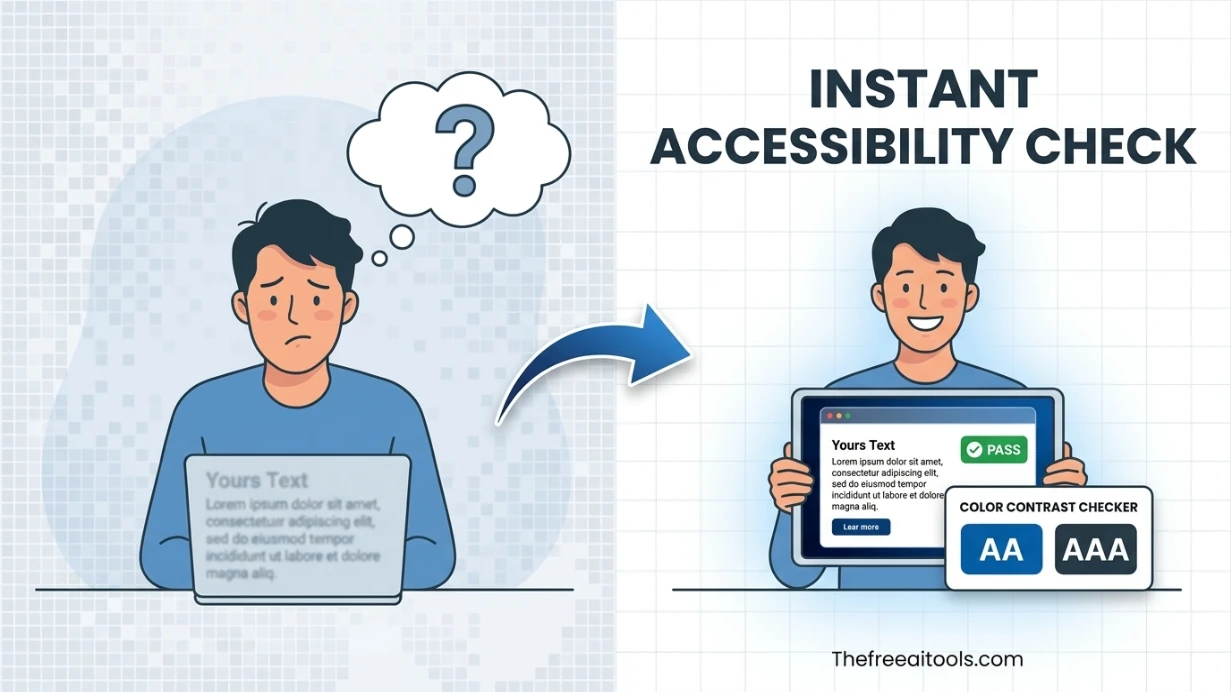
Free Color Contrast Checker , WCAG Accessibility Tool

Free Color Contrast Checker  ,  check WCAG accessibility contrast ratios online

Instantly test any two colors for WCAG 2.1 accessibility compliance. Calculate contrast ratios, get Level AA and Level AAA pass/fail grades, preview text readability, and simulate color blindness , completely free, no upload required.

AccessibilityFree online toolNo account requiredNo server uploadUpdated April 28, 2026

Free Color Contrast Checker , WCAG AA & AAA

Check whether your text and background color combination meets WCAG 2.1 accessibility contrast requirements , enter any foreground and background color in HEX, RGB, or HSL and get instant AA/AAA pass/fail results.

Foreground (text)

rgb(26, 26, 26) · Luminance: 0.0103

Background

rgb(255, 255, 255) · Luminance: 1.0000

Contrast Ratio

17.40:1

WCAG AA

Normal text (< 18px)

Pass

Requires 4.5:1

WCAG AA

Large text (≥ 18px or 14px bold)

Pass

Requires 3.0:1

WCAG AAA

Enhanced (7:1 normal / 4.5:1 large)

Pass

Requires 7.0:1

APCA , Accessible Perceptual Contrast Algorithm

Lc Value

104.8

Passes , body text
Lc 90 , Enhanced (body)
Lc 75 , Body text
Lc 60 , Fluent 18px+
Lc 45 , Large 24px+

APCA is the perceptual contrast model proposed for WCAG 3.0. It accounts for spatial frequency, adaptation, and human visual system non-linearity , providing more accurate predictions than the WCAG 2.x formula for modern displays.

Text Preview

Small (12px) , Caption / label text

The quick brown fox jumps over the lazy dog

Normal (16px) , Body text

The quick brown fox jumps over the lazy dog

Large (24px) , Subheading

The quick brown fox jumps over the lazy dog

Bold (18px) , Bold / heading

The quick brown fox jumps over the lazy dog

WCAG 2.2 , What Changed for Color Contrast

WCAG 2.2 (published October 2023) did not change the color contrast thresholds , AA (4.5:1 normal, 3:1 large) and AAA (7:1 normal, 4.5:1 large) remain identical to WCAG 2.1.

The main additions in WCAG 2.2 related to contrast are: SC 1.4.11 Non-text Contrast (AA, 3:1 for UI components and graphical objects) and the removal of SC 4.1.1 Parsing. Focus indicators (SC 1.4.13 Focus Appearance) now require a minimum 3:1 contrast between focused and unfocused states.

APCA (Accessible Perceptual Contrast Algorithm) is expected to replace the current formula in the upcoming WCAG 3.0 draft, but it is not yet normative. Use this tool to check both standards during the transition period.

What is Color Contrast Checker?

Color Contrast Checker measures the contrast ratio between a text color and its background color, then reports whether the combination passes or fails the Web Content Accessibility Guidelines (WCAG) 2.1 success criteria for accessibility. Poor color contrast is one of the most common accessibility failures on the web , it makes text difficult or impossible to read for people with low vision, color blindness, or age-related vision changes.

WCAG defines contrast ratios on a scale from 1:1 (identical colors, no contrast) to 21:1 (black on white). The standard defines two compliance levels: AA requires a minimum 4.5:1 ratio for normal text and 3:1 for large text (18pt or 14pt bold). AAA requires 7:1 for normal text and 4.5:1 for large text. Most legal accessibility standards , ADA in the US, EN 301 549 in Europe, and AODA in Canada , reference WCAG AA as the minimum requirement.

This tool is used by web designers, front-end developers, content editors, and accessibility auditors to verify that color pairs used in typography, buttons, form labels, navigation, and UI components meet the minimum contrast threshold before publishing. It is also useful for exploring accessible color palette alternatives when a current color fails the check.

How to use Color Contrast Checker in 3 steps
  1. 1

    Enter the foreground (text) color

    Type or paste the text color in HEX (#3b82f6), RGB (59, 130, 246), or HSL format.

  2. 2

    Enter the background color

    Add the background color the text appears on , the page background, card background, or button color.

  3. 3

    Read the contrast ratio and WCAG result

    The tool shows the exact contrast ratio and whether the combination passes WCAG AA and AAA for both normal and large text sizes.

Key features and benefits
  • Checks WCAG 2.1 AA and AAA contrast compliance instantly
  • Accepts HEX, RGB, and HSL color input formats
  • Shows pass/fail for both normal text and large text thresholds
  • Useful for accessibility audits, design reviews, and component testing
  • No sign-up , runs entirely in the browser
Common use cases

A designer checks whether the white text on a brand blue button passes WCAG AA before the component ships to production.

An accessibility auditor reviews a client site's primary text colors against their background to identify contrast failures for remediation.

A developer uses the checker to pick an accessible gray text color for secondary UI labels that still passes 4.5:1 against a light background.

Why browser-based works better

A dedicated contrast checker is faster than opening browser DevTools or an accessibility audit report just to check whether one color pair is compliant.

Showing both AA and AAA thresholds for both normal and large text in one result helps you understand exactly where your design stands , not just 'pass' or 'fail' but which level and which text size.

Color Contrast Checker FAQs

Quick answers about the workflow, privacy, and where this tool fits in a broader job.

What contrast ratio is required for WCAG AA?

WCAG AA requires at least 4.5:1 contrast ratio for normal body text and at least 3:1 for large text (18px bold or 24px regular). Most web accessibility laws require AA compliance at minimum.

What is WCAG AAA contrast?

WCAG AAA requires at least 7:1 for normal text and 4.5:1 for large text. AAA is a higher standard and can be difficult to achieve with colored text , it is typically targeted for critical interfaces where maximum readability is essential.

Does contrast requirement apply to placeholder text?

Yes. WCAG 1.4.3 applies to all text visible to users, including placeholder text in form inputs, which must meet at least 4.5:1 if it conveys information users need to complete the form.

Do images or decorative text need to pass contrast checks?

Decorative text that conveys no information is exempt from contrast requirements. Logos and brand typography in images are also exempt. All functional and informational text must pass.

What is a good contrast ratio for UI design?

4.5:1 is the legal minimum for most accessibility standards. Aim for 7:1 or higher for body text to maximize readability across all users and viewing conditions.

Keep the workflow moving with nearby tools that solve the next likely step.

Reviewed by

The Free AI Tools Editorial Team

Editorial review and product QA

Last updated:

Need policy details? Visit the contact, privacy, and security pages linked in the site footer.


What Is the Free Color Contrast Checker?

Color contrast is the measurable difference in luminance between two colors , typically a text color and its background. In digital accessibility, contrast ratio determines whether text is readable for users with visual impairments, including those with low vision, color blindness, or age-related vision degradation. The Web Content Accessibility Guidelines (WCAG) establish specific contrast thresholds that websites must meet to be considered accessible.

The Free Color Contrast Checker is a browser-based accessibility testing tool that calculates the contrast ratio between any two colors using the WCAG 2.1 relative luminance formula. It evaluates color pairs against Level AA and Level AAA standards for normal text, large text, and graphical user interface components. Unlike manual contrast calculation that requires complex logarithmic math, this tool provides instant pass/fail grading with precise ratio values , making accessibility compliance verification accessible to designers and developers without specialized knowledge.

What makes this tool essential for modern web development is its integration with real-world design workflows. Many designers select colors based purely on aesthetic preference without considering accessibility implications. This tool bridges that gap by providing immediate feedback during the color selection process. It supports HEX, RGB, and HSL input formats, offers visual previews of text on background combinations, and generates detailed reports suitable for accessibility audits. All calculations happen client-side, ensuring that proprietary brand colors and unreleased design palettes remain confidential.

Best Practices

  • Test every text and background combination: Do not assume that dark text on a light background always passes. Colors with similar luminance values , such as medium gray text on a light gray background , can fail WCAG standards despite appearing readable to users with normal vision. Test every color pair systematically.
  • Target WCAG 2.1 Level AA as the minimum standard: Level AA requires a contrast ratio of at least 4.5:1 for normal text and 3:1 for large text (18pt or 14pt bold). Level AAA requires 7:1 for normal text and 4.5:1 for large text. Treat Level AA as your baseline and Level AAA as your aspirational target.
  • Consider color blindness in your palette:A color pair may pass contrast mathematically but still be indistinguishable to users with protanopia, deuteranopia, or tritanopia. Use the tool's simulation preview to test how your colors appear under different types of color vision deficiency.
  • Test UI components and graphical objects: WCAG 2.1 extends contrast requirements beyond text to include user interface components and graphical objects. Buttons, form fields, icons, and charts must have a 3:1 contrast ratio against adjacent colors to be perceivable.
  • Document contrast ratios in your design system: When building a component library or design system, record the contrast ratio for every text color, background color, and interactive state combination. This creates an accessibility reference that speeds up future development and audit preparation.

Key Features

Instant WCAG Contrast Ratio Calculation

Computes the exact contrast ratio between any two colors using the official WCAG relative luminance formula. Results display to two decimal places for precise compliance verification.

Level AA and Level AAA Pass/Fail Grading

Automatically evaluates color pairs against both WCAG 2.1 conformance levels for normal text, large text, and UI components. Clear visual indicators show which standards are met or failed.

Multi-Format Color Input Support

Accepts HEX codes, RGB values, and HSL declarations as input. Paste any valid CSS color value and the tool automatically parses and evaluates it against your chosen background.

Color Blindness Simulation Preview

Visualizes how your selected color pair appears to users with protanopia, deuteranopia, tritanopia, and achromatopsia. Identifies combinations that fail perceptually even when they pass mathematically.

Real-Time Text Preview on Background

Displays sample text rendered in your chosen foreground color against your selected background. See exactly how headings, body text, and links will appear to end users.

One-Click Color Adjustment Suggestions

When a color pair fails WCAG standards, the tool suggests adjusted shades that meet compliance while staying as close as possible to your original color intent.

Zero-Upload Privacy Architecture

All contrast calculations and color processing happen entirely in your browser. Your brand colors, design palettes, and accessibility test results are never transmitted to external servers.

Universal Browser Compatibility

Works on Windows, macOS, Linux, ChromeOS, iOS, and Android through any modern web browser. No design software installation or accessibility testing suite required.

Common Use Cases

Web Accessibility Auditors

Evaluate entire website color palettes for WCAG compliance during formal accessibility audits. Generate contrast ratio reports for clients, stakeholders, and legal compliance documentation.

UI/UX Designers

Verify that text colors, button states, and link styles meet accessibility standards during the design phase , before development begins. Prevent costly redesigns by catching contrast failures early.

Frontend Developers

Test color variables from design systems, CSS custom properties, and theme configurations against WCAG requirements. Ensure that dynamically generated color combinations in dark mode and light mode themes both pass.

Brand Identity Designers

Validate that primary brand colors, secondary accents, and neutral grays provide sufficient contrast for digital applications. Maintain brand consistency while meeting legal accessibility obligations.

E-Commerce Merchants

Check product page text, pricing displays, call-to-action buttons, and checkout form labels for readability compliance. Reduce cart abandonment caused by poor text visibility on mobile devices.

Content Creators and Bloggers

Verify that article headings, body text, link colors, and blockquote styling on custom themes meet accessibility standards. Improve reader retention and search engine rankings through inclusive design.

Frequently Asked Questions

How do I use the Free Color Contrast Checker?
Enter your foreground text color and background color in the input fields using HEX, RGB, or HSL format. The tool instantly calculates the contrast ratio and displays WCAG Level AA and Level AAA pass/fail results for normal text, large text, and UI components.
What color formats and inputs are supported?
The tool accepts HEX codes (with or without hashtag), RGB values in integer or percentage format, HSL declarations with degrees and percentages, and CSS named colors. Both input fields support any valid CSS color syntax.
What output does the contrast checker provide?
The tool outputs the exact contrast ratio to two decimal places, pass/fail grades for WCAG 2.1 Level AA and Level AAA standards, visual text preview on the selected background, and color blindness simulation previews for four types of deficiency.
Is my color data kept private?
Yes. All contrast calculations, color parsing, and accessibility analysis happen entirely in your browser using client-side JavaScript. Your brand colors, design palettes, and test results are never uploaded to any server or stored in a database.
What is the difference between Level AA and Level AAA contrast?
Level AA is the minimum accessibility standard required by most regulations, requiring 4.5:1 contrast for normal text and 3:1 for large text. Level AAA is the highest standard, requiring 7:1 for normal text and 4.5:1 for large text , providing enhanced readability for users with significant vision impairment.
Are there any usage limits on the free checker?
The tool is completely free with unlimited contrast checks, color format conversions, and accessibility simulations. There are no daily limits, watermarks, or feature restrictions. Use it for personal projects, client audits, or commercial applications without any cost.

Explore our suite of free browser-based design and accessibility tools for web professionals.

TheFreeAITools , Free Color Contrast Checker is a fully private, browser-based tool for testing color contrast ratios against WCAG 2.1 accessibility standards without any uploads. All calculations happen locally on your device in 2026 , your brand colors and design palettes are never transmitted to external servers. Supports HEX, RGB, and HSL color formats with Level AA and Level AAA grading, text preview, and color blindness simulation , completely free with no account or design software required.

☕ Support Us